



CHARACTER MOOD LIGHTING
Light effects that reflect your Codie’s emotions.
¿Tienes una cuenta?
Inicia sesión para finalizar tus compras con mayor rapidez.
Bring your Codie’s mood into your room.
Free Shipping. Import duties & taxes included
Light effects that reflect your Codie’s emotions.
Light effects that follow nearby music.
Choose your atmosphere through Companion Hub.
Create a connected design that suits your space.

Negro obsidiana
$509.00
$599.00

Blanco lunar
$509.00
$599.00
Final Price
$79.90


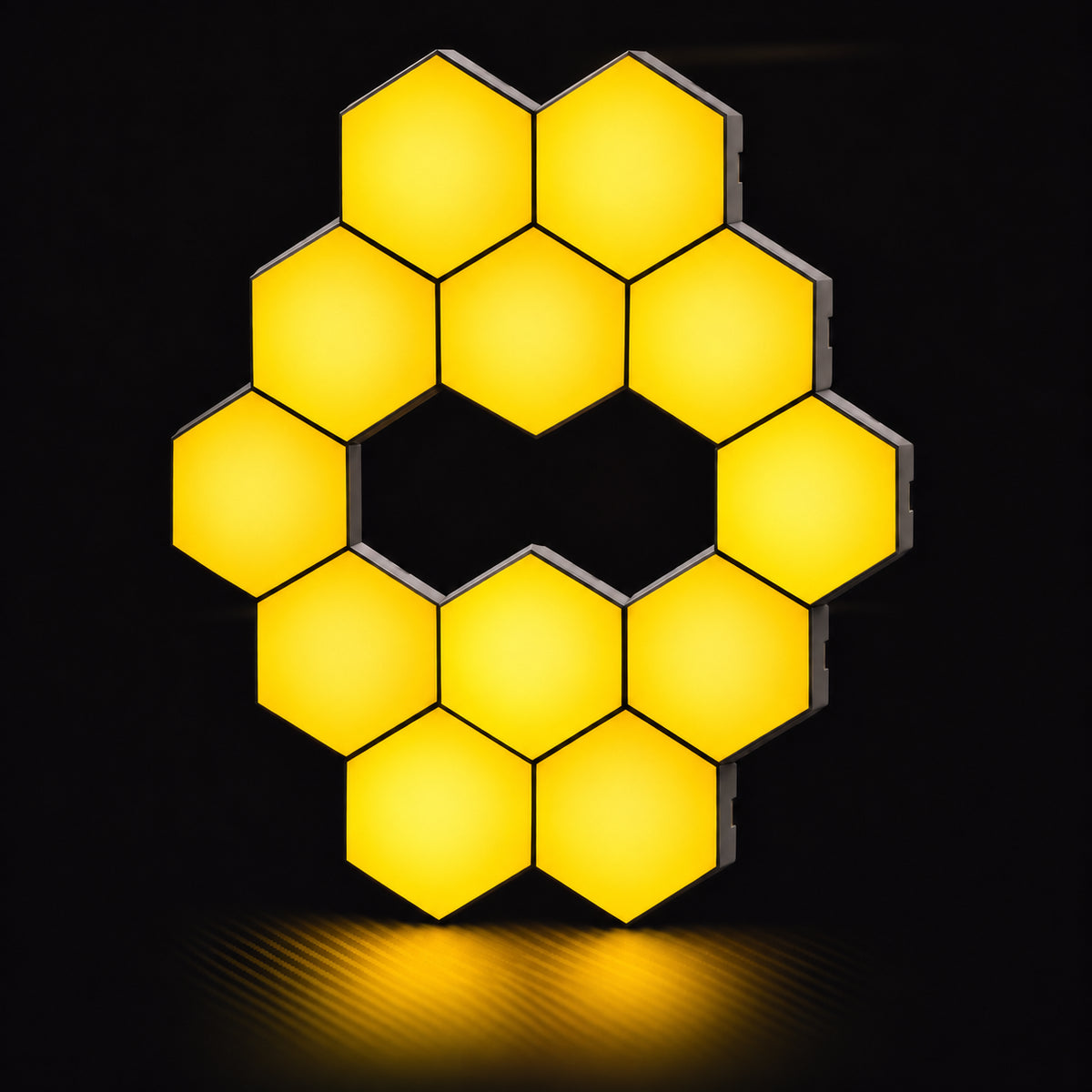
CODE27 Smart Light Panels
12 modular panels. Three lighting modes. One space that feels more like you.

Mood-responsive lighting, made for your CODE27 Companion Hub.

Preset effects that respond to your Codie’s emotions.

Light effects that change with the rhythm of nearby music.

Custom colors and effects to make the atmosphere yours.
When your Codie’s mood changes, the lights respond with a matching preset effect.

CHARACTER MOOD
CODE27 Companion Hub sends a command to the control box over Bluetooth, bringing your Codie’s emotions into your room through light.
Requires a connection to CODE27 Companion Hub.
A built-in microphone in the control box picks up the rhythm of nearby music. Play it from your phone, computer, or speaker.
MUSIC SYNC

Choose your colors and effects through CODE27 Companion Hub. Create an atmosphere that complements your desk, your room, and the moment.
DEFAULT LIGHTING

Arrange the 12 hexagonal panels to suit your space. Follow the connector arrows and keep the connection path open, without closing a loop.


Connection concept • 12 panels • arrows show signal direction. Follow the user manual for connector placement.
Connectors must face the correct direction. Do not connect the last panel back to the first. Recommended: up to 12 panels in a single chain.

Companion Hub and USB power adapter are not included.
SL01
102 × 90 × 28 mm
(4.02 × 3.54 × 1.10 in)
1.2 kg (2.65 lb)
12
Hexagonal
Requires CODE27 Companion Hub.
5 V ⎓ 2 A
1.5 W(Max.)
Bluetooth Low Energy (BLE)
RGB
Default, Music Sync, Character Mood
Via CODE27 Companion Hub
Panel connectors, free-form layout
1.5 m (4.9 ft)
Use a regulated 5 V USB power adapter rated at 2 A or higher. Adapter not included.
Wall mount, hook-and-loop pads
−20°C to +60°C
Indoor Use Only
What Are CODE27 Smart Light Panels?
CODE27 Smart Light Panels are modular RGB ambient lights designed for CODE27 Companion Hub. They set the mood in your space with a range of light effects, and they respond to your Codie’s emotions and to the music around you.
Can I Use the Smart Light Panels Without CODE27 Companion Hub?
Light settings and control are done through CODE27 Companion Hub. After the panels disconnect, the control box keeps running the Default or Music Sync light effect that was last on. To change light settings or use Character Mood lighting, you still need to connect to CODE27 Companion Hub.
Which Lighting Modes Do the Panels Support?
The panels support three lighting modes: Default Lighting: Set your own light colors and effects to create the atmosphere you want. Character Mood Lighting: The lights show effects that match your Codie’s mood. Music Sync Lighting: The lights change with the rhythm of the music around you.
Does Music Sync Need Music Played Through CODE27 Companion Hub?
No. The control box has a built-in microphone that detects the rhythm of music playing nearby, so music from your phone, computer or speaker also triggers Music Sync effects.
How Does Character Mood Lighting Work?
When your Codie’s mood changes on CODE27 Companion Hub, CODE27 Companion Hub sends a command to the control box over Bluetooth, and the control box plays the matching preset light effect. Your Codie’s emotions reach beyond the screen and into your room.
Can I Arrange the Panels Any Way I Like?
Yes. Each set includes 12 hexagonal light panels and 13 panel connectors, so you can build different light shapes to suit your style. When connecting the panels, follow the user manual to make sure each panel connector faces the right direction and is connected correctly.
How Many Panels Can I Connect?
We recommend connecting up to 12 panels in a single chain. Connecting more panels can cause a voltage drop, which may make brightness or colors uneven. For the best light effects, connect the panels as shown in the user manual.
How Do I Install the Panels? Do I Need to Drill Holes?
No drilling is needed. The set comes with 12 hook-and-loop mounting pads for attaching the panels to a suitable flat surface. Before installing, make sure the surface is clean and dry, and follow the user manual.
How Are the Panels Powered? Is a Power Adapter Included?
The panels are powered over USB and have no built-in battery. The box includes the control box with a 1.5 m (4.9 ft) USB cable. A power adapter is not included. Use a regulated 5 V USB power adapter rated at 2 A or higher.
Can the Panels Be Used Outdoors? Are They Waterproof?
CODE27 Smart Light Panels are for indoor use only. We do not recommend using them outdoors or in damp environments. The panels have no waterproof rating, so keep them away from water and other liquids.
What Should I Do If the Panels Do Not Work Properly?
Check the following, in order: 1. Make sure the USB power connection is secure. 2. Check that the panel connectors between the panels are firmly attached and facing the right direction. 3. Make sure CODE27 Companion Hub is turned on and ready to connect. 4. Try reconnecting the panels, or unplug the power and plug it back in.If you’ve tried the steps above and the issue still persists, please contact CODE27 Support for further assistance.